Eventum 2.8.0: The Generator Catalog
A data source no longer starts from an empty configuration — Studio connects a repository of ready-made generators and installs one as a project. Projects move between instances as archives, and every running instance reports what it costs.
Eventum 2.8.0 is out. Until now every data source began with an empty configuration and whatever you could recall of its log format. Studio now connects repositories that publish finished generators and installs one as a project of the workspace. Projects can also be exported and imported as archives, and a running instance reports what it occupies on the host, not only what it produces.
Generators from a repository
A repository is a git URL — the ready-made generators Eventum publishes, a set your team keeps, or one you publish yourself. Studio reads the catalog it carries, tells what each generator produces and what it is built from, and installs the one you pick as a project you own and can edit. A private repository authenticates with a name and a password given either in place or as a keyring reference.


A project remembers where it came from, so Studio marks a generator the workspace already holds and tells you when the repository has published it differently since. Studio also searches GitHub for the repositories carrying the eventum-generators topic, so one can be found rather than looked up; nothing listed there is reviewed by Eventum. An agent over MCP works the same catalog and installs from it too.
Export and import
A project can be exported as an archive of its directory and imported as a new project, on the same instance or another one — the way to move work off a laptop onto a server, hand a generator to a colleague, or keep a copy outside the workspace. The export lists what the project holds so generated output can stay behind, and the import takes an archive downloaded from a repository as it is. Both are available over the REST API and to an agent.
What an instance costs
Monitoring already reported how much each instance produced. It now also reports what each one takes from the host: its share of a processor, the time its threads spend waiting for one, the bytes it moves to disk and over the network, and how full its pipeline queues are. The instance responsible for the load on a crowded host is visible rather than inferred, and a growing wait separates an instance the host cannot keep up with from a slow one.
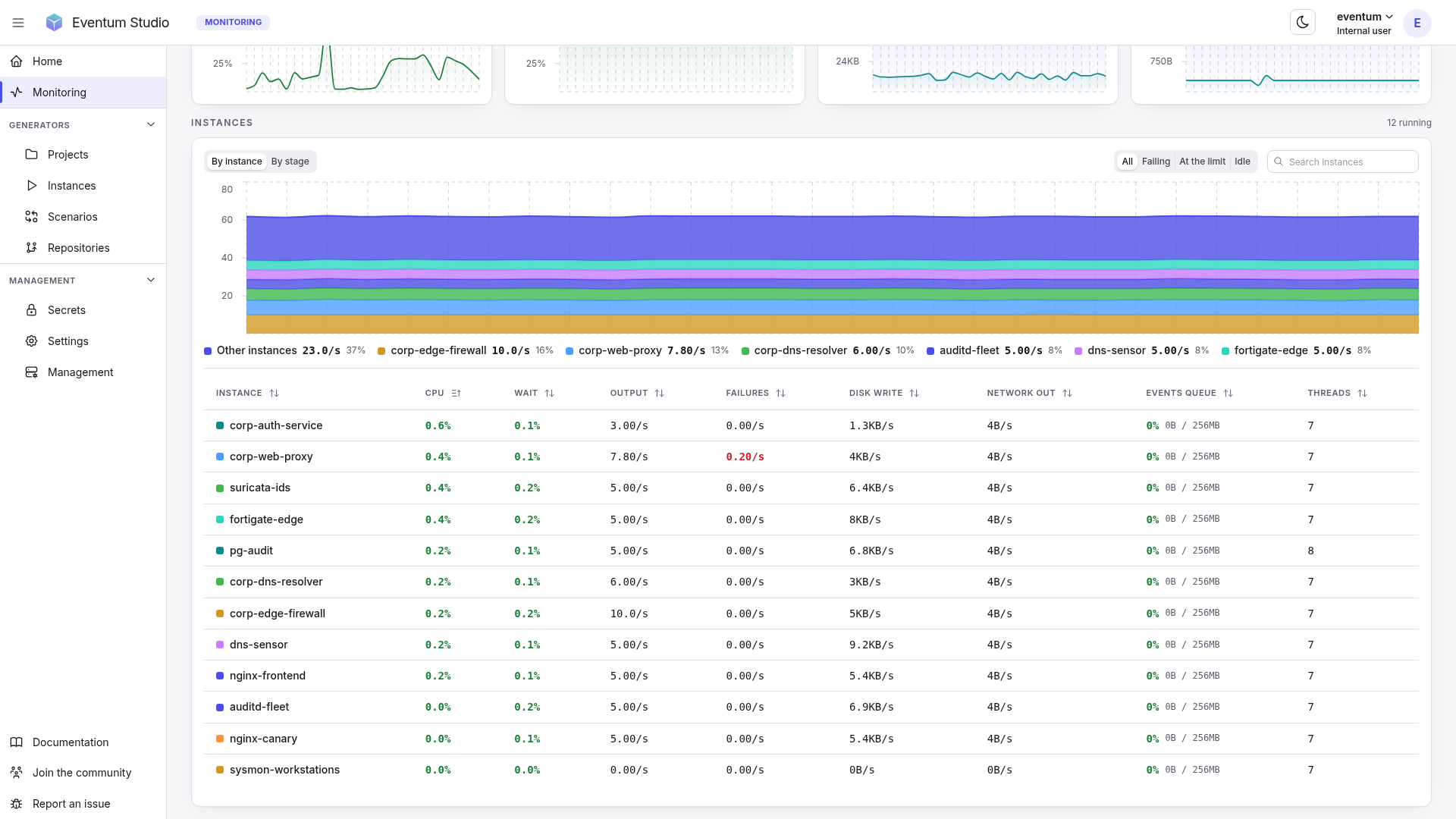
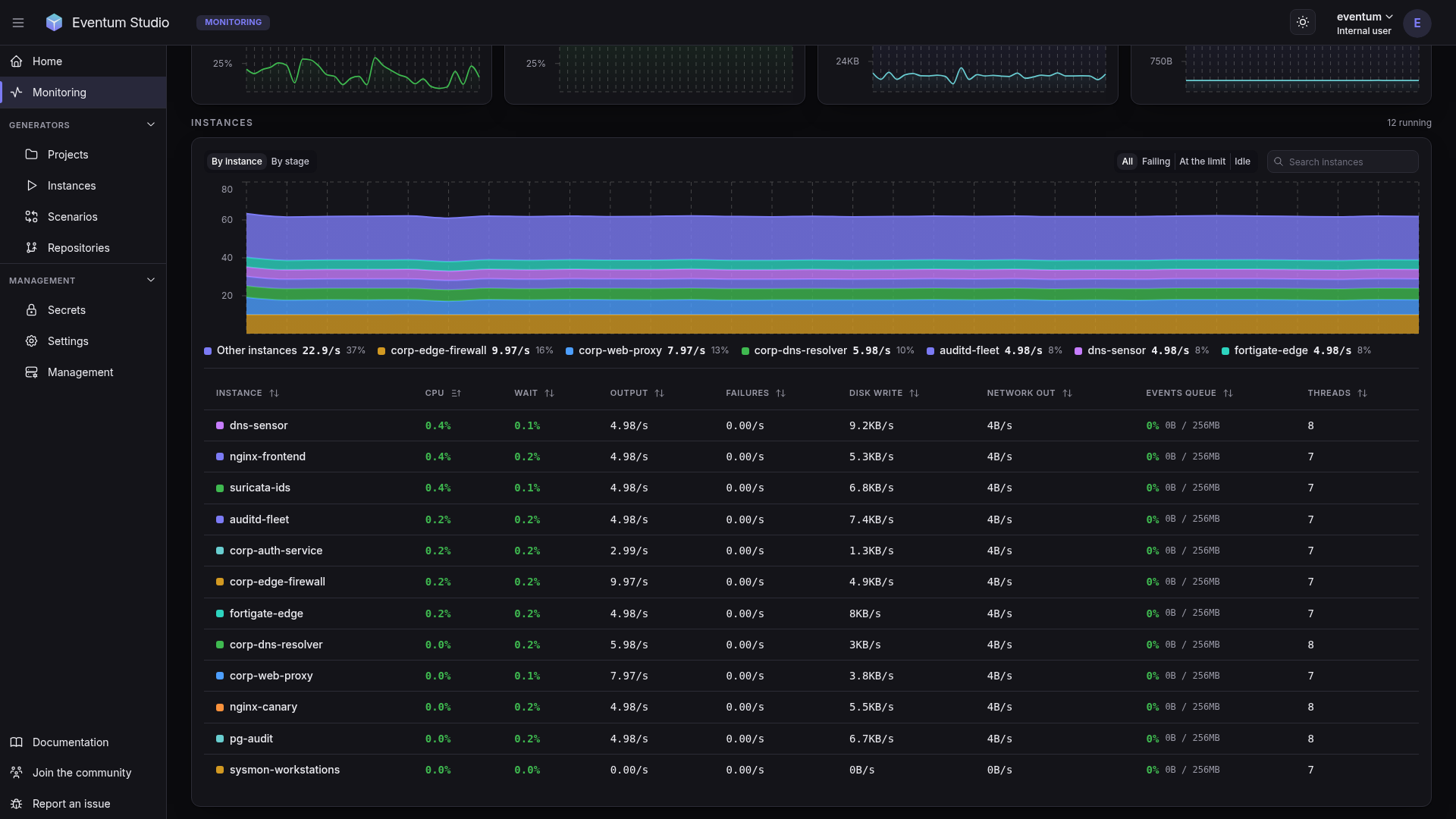
The instance page opens on the same reading for one instance, and the logs behind it are now separated by component — the application, the server, its requests, the MCP endpoint, and a file per generator — so a generator's traffic no longer buries everything else.
Upgrade notes
server.ui_enabled and server.api_enabled, deprecated in 2.7.0, are gone; the values belong under server.ui.enabled and server.api.enabled. The log files changed with the split, and server_error.log is part of server.log now, so anything collecting them needs the new set. The queue between the event and the output stage is bounded in memory as well as in batches, at 256 MiB by default, which can be raised, lowered per instance or switched off. And a secret name is now checked when it is written, since a configuration references it as an expression — lowercase words separated by dots; names already in a keyring keep working.
The release also settles a stalled TCP destination that grew the memory of the application without bound, a template that could hold the shared state lock for good, an HTTP output that opened a request per event, shell commands started from a template that ran without a limit on time or output, and the reporting of what a secret is used for. The full list is in the 2.8.0 changelog.